

Understanding Ethernet Cables: Cat5e, Cat6, Cat6a, Cat7, and Cat8 - Complete Comparison Guide
Compare Ethernet cable categories: Cat5e, Cat6, Cat6a, Cat7, and Cat8. Learn bandwidth, speed, shielding, and which cable type suits your networking needs best.
hongjing.Wang@Feichun
12/10/20258 min read

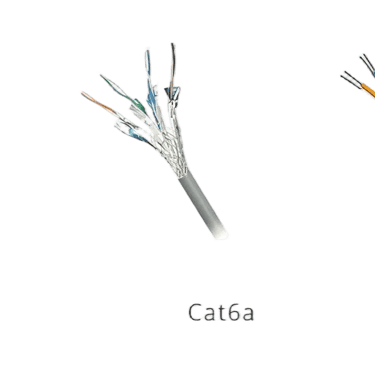
Ethernet cables form the foundation of modern wired networking infrastructure, transmitting data between computers, switches, routers, and servers with reliability and speed. As network demands have evolved, so have cable specifications, resulting in multiple categories designed to meet different performance requirements. This comprehensive guide examines five major cable categories—Cat5e, Cat6, Cat6a, Cat7, and Cat8—helping you understand their technical specifications, practical applications, and which option best suits your networking needs.
Cat5e Specifications and Residential Use
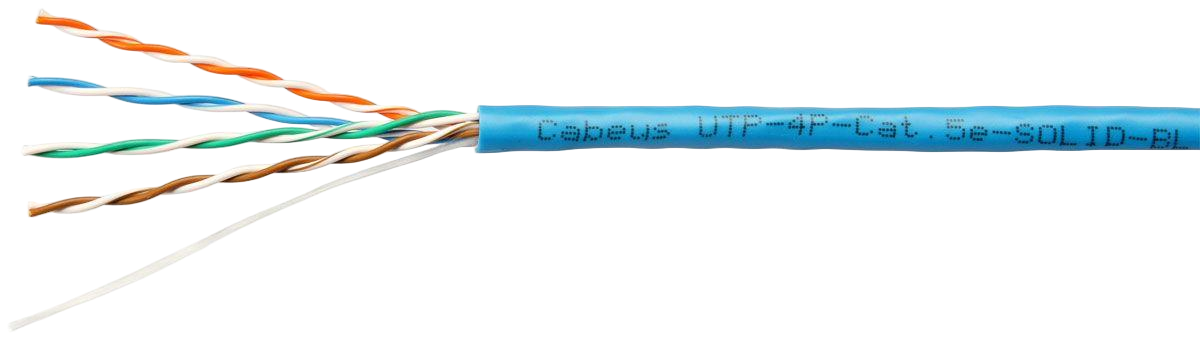
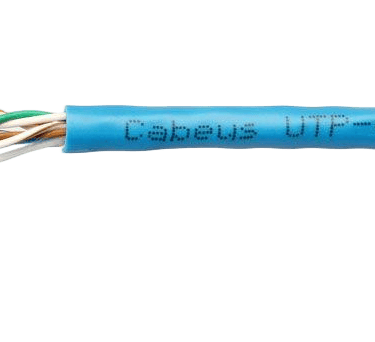
Category 5 Enhanced (Cat5e) represents the entry-level standard for modern Gigabit Ethernet deployments. With a maximum bandwidth of 100 MHz and support for data rates up to 1 Gbps, Cat5e cables can handle network traffic effectively over distances up to 100 meters. These unshielded twisted pair (UTP) cables feature improved crosstalk reduction compared to their Cat5 predecessors, making them adequate for basic networking requirements.
The primary advantage of Cat5e lies in its cost-effectiveness. For residential networks and small business environments where bandwidth demands remain modest, Cat5e provides sufficient performance without unnecessary expense. The cable's construction uses four twisted pairs of copper wire, with the twisting pattern designed to minimize electromagnetic interference and signal degradation.
However, Cat5e bandwidth limitations become apparent in high-demand scenarios. While perfectly capable of supporting standard internet browsing, video streaming, and file transfers, the 100 MHz frequency ceiling restricts future scalability. Organizations planning network infrastructure upgrades or anticipating increased data requirements should consider this limitation carefully.
Common Issue: Will Cat5e work for home gaming? Yes, Cat5e handles gaming traffic excellently. Most online games require minimal bandwidth (typically under 10 Mbps), making Cat5e's 1 Gbps capacity more than sufficient. Latency matters more than raw bandwidth for gaming, and Cat5e provides stable, low-latency connections suitable for competitive gaming when properly installed.
Cat6 Cable: The Mid-Range Option
Category 6 cables represent a significant performance upgrade, doubling Cat5e's bandwidth to 250 MHz. This enhanced specification enables Cat6 to support 10 Gigabit Ethernet, though with distance constraints—10 Gbps speeds are achievable only up to 55 meters, while 1 Gbps remains stable across the full 100-meter span.
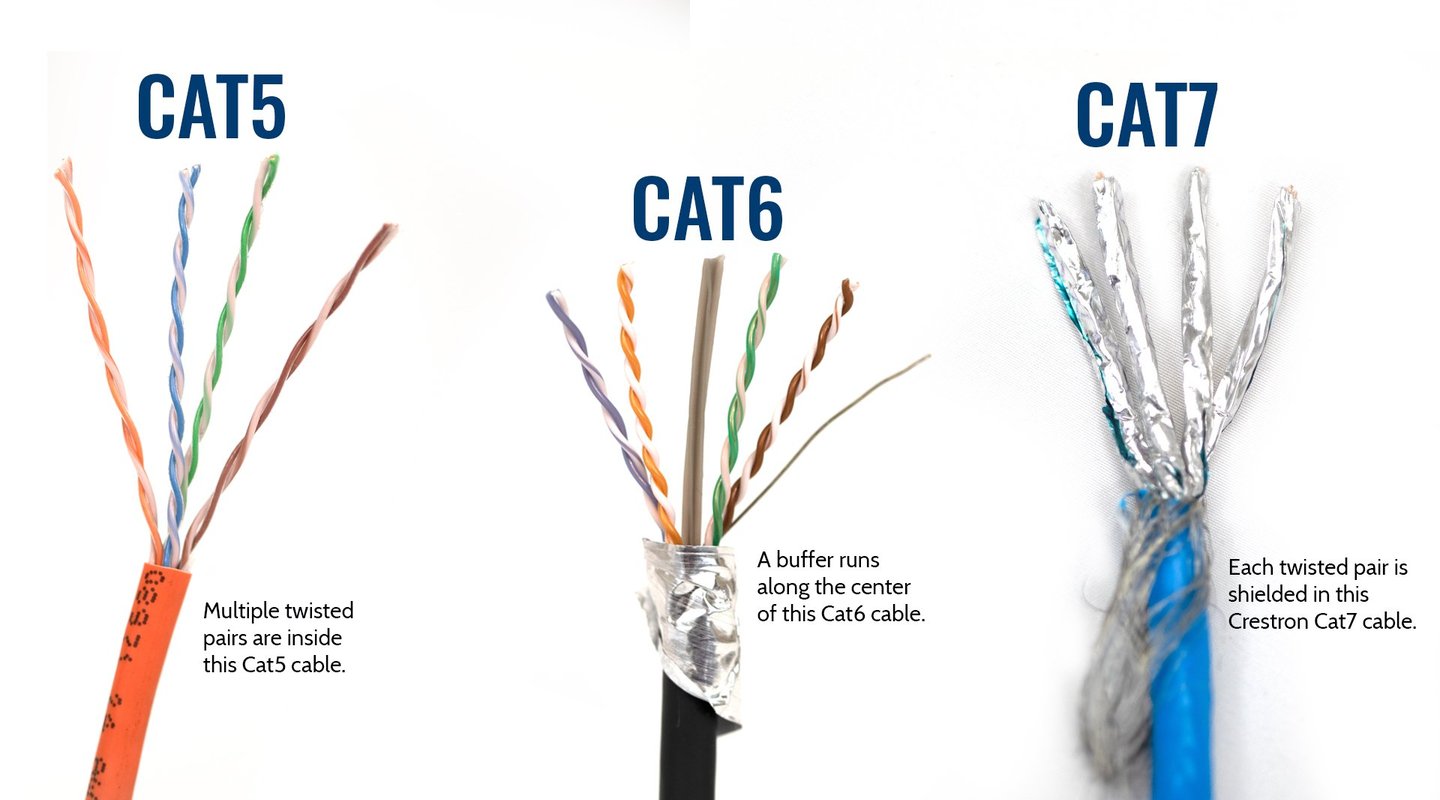
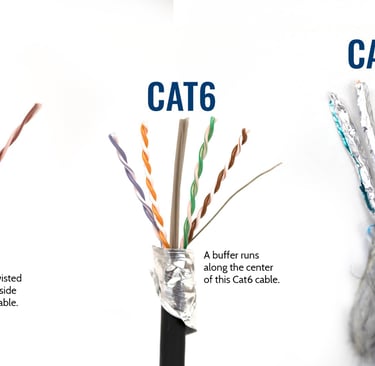
When comparing Cat5e vs Cat6, the construction differences become immediately apparent. Cat6 cables incorporate tighter twists in their wire pairs and superior insulation quality, resulting in enhanced EMI resistance and reduced crosstalk between adjacent pairs. Many Cat6 cables include a plastic spline separator running through the cable's core, physically dividing the four pairs to further minimize interference.
These network cables suit office networks and small to medium data centers exceptionally well. Organizations implementing Voice over IP (VoIP) systems, high-definition video conferencing, or expanding server infrastructure benefit from Cat6's improved performance characteristics. The cable handles moderate electromagnetic interference effectively, maintaining signal integrity in environments with nearby electrical equipment.
Cat6 maximum distance specifications require careful planning. For 10 Gigabit Ethernet installations, runs exceeding 55 meters necessitate upgrading to Cat6a or accepting reduced speeds. This distance limitation affects building layouts where network equipment rooms sit far from end-user locations.
Common Issue: Can I mix Cat5e and Cat6 in the same network? Yes, different cable categories coexist within a single network infrastructure. However, performance defaults to the lowest common denominator—if one segment uses Cat5e, that portion limits throughput to Cat5e specifications. For optimal results, use consistent cabling throughout critical pathways while reserving legacy cables for non-essential connections.
Cat6 Cable: The Mid-Range Option
Category 6 cables represent a significant performance upgrade, doubling Cat5e's bandwidth to 250 MHz. This enhanced specification enables Cat6 to support 10 Gigabit Ethernet, though with distance constraints—10 Gbps speeds are achievable only up to 55 meters, while 1 Gbps remains stable across the full 100-meter span.
When comparing Cat5e vs Cat6, the construction differences become immediately apparent. Cat6 cables incorporate tighter twists in their wire pairs and superior insulation quality, resulting in enhanced EMI resistance and reduced crosstalk between adjacent pairs. Many Cat6 cables include a plastic spline separator running through the cable's core, physically dividing the four pairs to further minimize interference.
These network cables suit office networks and small to medium data centers exceptionally well. Organizations implementing Voice over IP (VoIP) systems, high-definition video conferencing, or expanding server infrastructure benefit from Cat6's improved performance characteristics. The cable handles moderate electromagnetic interference effectively, maintaining signal integrity in environments with nearby electrical equipment.
Cat6 maximum distance specifications require careful planning. For 10 Gigabit Ethernet installations, runs exceeding 55 meters necessitate upgrading to Cat6a or accepting reduced speeds. This distance limitation affects building layouts where network equipment rooms sit far from end-user locations.
Common Issue: Can I mix Cat5e and Cat6 in the same network? Yes, different cable categories coexist within a single network infrastructure. However, performance defaults to the lowest common denominator—if one segment uses Cat5e, that portion limits throughput to Cat5e specifications. For optimal results, use consistent cabling throughout critical pathways while reserving legacy cables for non-essential connections.
Cat6a High-Performance Networking
Category 6 Augmented (Cat6a) addresses Cat6's distance limitations while providing substantial bandwidth improvements. With 500 MHz frequency support—double Cat6's capacity—Cat6a delivers 10 Gbps speeds across the full 100-meter distance, making it ideal for enterprise-grade networking installations.
Cat6a shielding benefits include superior crosstalk and EMI resistance compared to unshielded alternatives. Most Cat6a cables employ foiled/unshielded twisted pair (F/UTP) or shielded/foiled twisted pair (S/FTP) construction, wrapping each pair or the entire cable assembly in protective shielding. This design provides excellent noise immunity in electrically noisy environments like manufacturing facilities or buildings with extensive fluorescent lighting.
The enhanced performance comes with trade-offs. Cat6a cables measure noticeably thicker than Cat6—typically 0.35 inches versus 0.25 inches in diameter—making them bulkier and less flexible during installation. The increased cable diameter complicates routing through tight conduits and reduces the number of cables fitting within cable trays. Additionally, the denser construction generates more heat when bundled, requiring careful consideration of ventilation in high-density installations.
Despite higher installation costs, Cat6a represents an excellent long-term investment for data centers with 10G infrastructure and high-density server environments. The cable's robust construction and performance headroom ensure networks remain relevant as bandwidth demands increase.
Cat7 and Cat8: Enterprise Solutions
Cat7 Non-Standard Connectors and Applications
Category 7 cables push shielding technology further with always-shielded (S/FTP) construction featuring individual pair shielding plus an overall cable shield. This extensive shielding design delivers 600 MHz bandwidth and extremely low crosstalk, making Cat7 suitable for industrial environments with high EMI where signal integrity is paramount.
However, Cat7 Ethernet cables face significant adoption challenges. The specification requires GG45 or TERA connectors rather than standard RJ45 jacks, creating compatibility issues with existing network infrastructure. While some manufacturers produce Cat7 cables with RJ45 terminations, these implementations don't meet official Cat7 standards and sacrifice some performance advantages.
Limited market adoption has relegated Cat7 to specialized networking applications and regions where specific standards mandate its use. Organizations considering Cat7 should carefully evaluate whether their requirements truly necessitate this level of performance, as Cat6a often provides equivalent practical benefits with better equipment compatibility.
Common Issue: Why isn't Cat7 more popular despite better specifications? The connector incompatibility represents Cat7's fundamental obstacle. Networking equipment universally supports RJ45 connectors, but Cat7's specified GG45/TERA connectors require specialized hardware. Most organizations find Cat6a delivers sufficient performance using standard connectors, making Cat7's additional cost and complexity unjustifiable except in specific industrial or data center scenarios.
Cat8 Server Room Applications
Category 8 represents the pinnacle of copper Ethernet cable technology, offering 2000 MHz bandwidth—a quantum leap beyond previous categories. Cat8 cables support 25-40 Gbps data rates, enabling ultra-high-speed connections between servers, switches, and storage arrays in modern data center deployments.
However, Cat8 short distance high-speed data capabilities come with a significant caveat: the 30-meter maximum cable length. The extremely high frequencies used by Cat8 attenuate rapidly over distance, restricting practical applications to server-to-server connections, switch-to-switch backbone links, and top-of-rack networking within data centers.
Unlike Cat7, Cat8 maintains RJ45 backward compatibility, allowing integration with existing network infrastructure. The fully shielded S/FTP construction provides exceptional EMI immunity crucial for dense server environments where hundreds of cables run in close proximity.
Cost considerations limit Cat8 to professional applications. The cable's specialized construction and limited production volumes result in prices several times higher than Cat6a. For most organizations, Cat8 remains overkill except in high-frequency trading environments, research facilities requiring maximum throughput, or cutting-edge data centers implementing 25G/40G Ethernet standards.


Ethernet Cable Types and Speeds: Making the Right Choice
Selecting appropriate network cables requires evaluating multiple factors beyond simple speed ratings. Current bandwidth needs, anticipated future demands, and specific application requirements all influence the decision.
For Home Networks
Residential users typically find Cat5e or Cat6 sufficient for gaming, streaming 4K video, and general internet usage. The best Ethernet cable for gaming is usually Cat6, offering headroom for future internet speed upgrades while remaining affordable. Unless planning extensive home automation or media server deployments, Cat6a's additional cost provides minimal practical benefit.
Small Business and SMB Networks
Small to medium businesses benefit from Cat6 or Cat6a installations. Cat6 handles most current requirements economically, while Cat6a provides long-term scalability for organizations anticipating growth. The Ethernet cable crosstalk reduction in Cat6a becomes valuable in offices with dense cable runs or proximity to electrical infrastructure.
Enterprise and Data Centers
Enterprise-grade networking cables demand Cat6a as the minimum standard, with Cat8 reserved for critical high-speed links. Data center Ethernet cable requirements prioritize 10 Gigabit Ethernet cable options for backbone connectivity and server uplinks. Organizations planning infrastructure lasting 10-15 years should strongly consider Cat6a to avoid costly retrofits as bandwidth demands increase.
Common Issue: How do I know if my existing cables support my network speed? Cable categories are typically printed on the cable jacket at regular intervals. Look for text like "Cat6" or "Category 6A" along the cable length. If markings are illegible, assume older installations use Cat5e. Testing tools like cable certifiers can verify performance, or simple throughput tests between devices reveal whether cables support your required speeds.
Installation Best Practices and Troubleshooting
Proper installation significantly impacts cable performance regardless of category. Maintaining minimum bend radius prevents internal wire damage—generally four times the cable diameter for most categories, though Cat6a requires greater care due to its rigid construction. Avoid pulling cables too tightly during installation, as excessive tension can alter the twist rate and degrade performance.
Separate network cables from power cables by at least 6 inches where possible to minimize electromagnetic interference. When crossing is unavoidable, do so at 90-degree angles rather than running parallel. This practice matters particularly for unshielded cables like Cat5e and standard Cat6.
Cable testing tools verify installations meet performance standards. Basic cable testers check continuity and wiring order, while advanced certifiers measure bandwidth, crosstalk, and other parameters against category specifications. For enterprise installations, professional certification ensures cables perform as expected and provides documentation for warranty purposes.
Conclusion: Choosing Your Ideal Cable
Understanding the differences between Cat5e, Cat6, Cat6a, Cat7, and Cat8 enables informed decisions matching network infrastructure to actual requirements. Cat5e remains viable for basic residential needs, Cat6 offers an excellent balance for small businesses, Cat6a provides enterprise-grade performance with future-proofing, while Cat7 and Cat8 address specialized high-performance scenarios.
Most users should select Cat6 for new installations, as it provides substantial headroom over Cat5e at modest additional cost. Organizations requiring guaranteed 10 Gigabit performance across full cable runs should invest in Cat6a. Reserve Cat8 for data center applications where 30-meter distance limits don't pose constraints.
The network infrastructure you install today will serve for years to come. Choosing cables with appropriate specifications ensures your network remains capable as applications become more bandwidth-intensive and new technologies emerge. When uncertain about requirements, consulting with IT professionals or network designers helps identify optimal solutions balancing performance, cost, and longevity.
How to Reach Us
Get in Touch
SiteMap
Product Catalogue
Festoon Cable
Shore Power Cable




Scan to add us on WeChat